
Features

Dawah features and how it works

From the first invitation to the last guest through the door.

An invitation for every guest

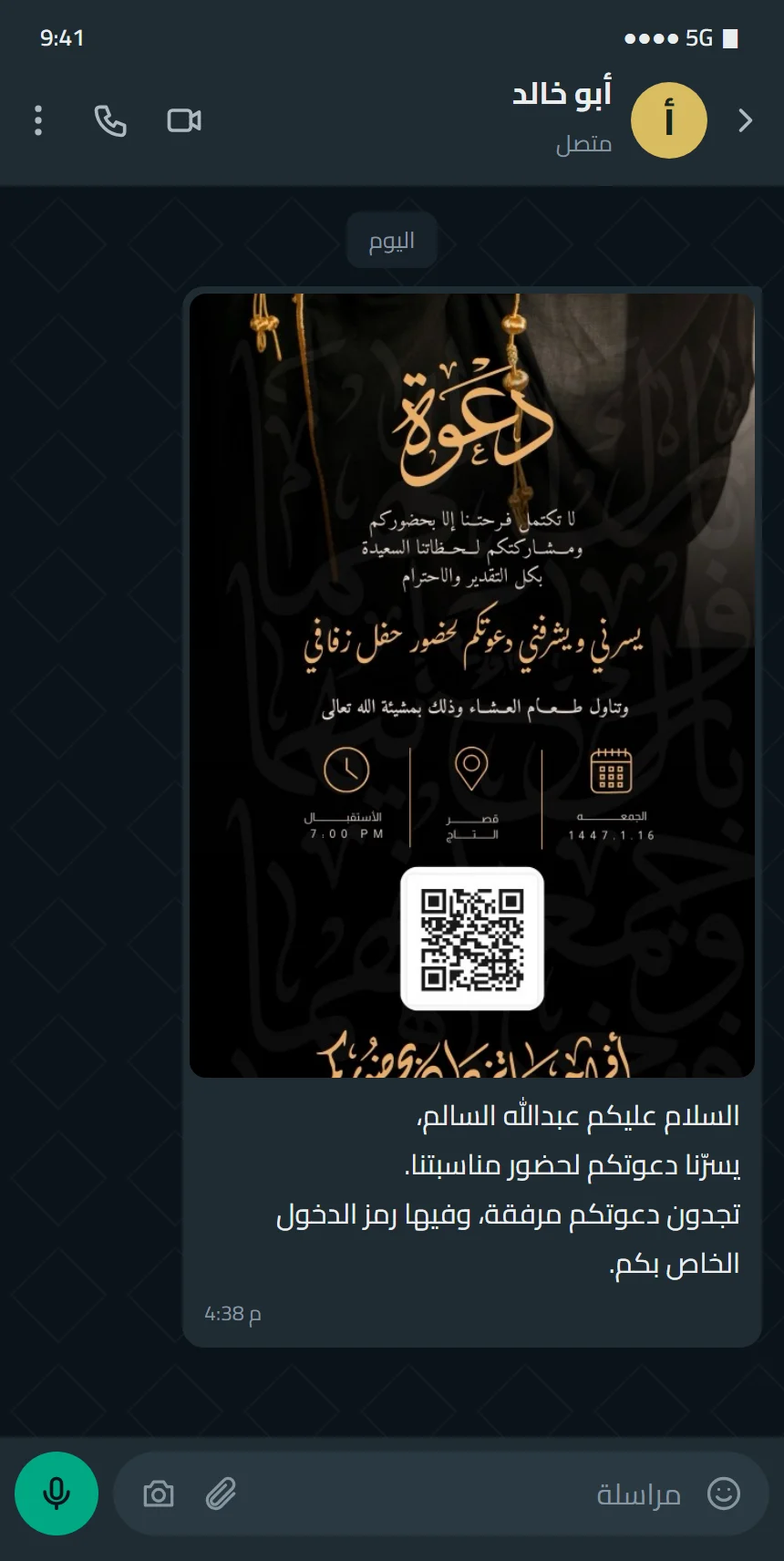
One design becomes individual invitations, each with the guest's name and personal code.
Feature details
  • We use your own design or prepare one with you
  • A unique QR code on every invitation
  • The guest's name on their invitation
الدعوة كما تصل للضيف في واتساب: صورة الدعوة برمزها مع نص الرسالة
Real screenshot

The client page

You get a private link for your event with your guest list and a share button next to every name.
Feature details
  • Send via WhatsApp or the phone's share menu
  • A message text you choose
  • Search and sort your guest list
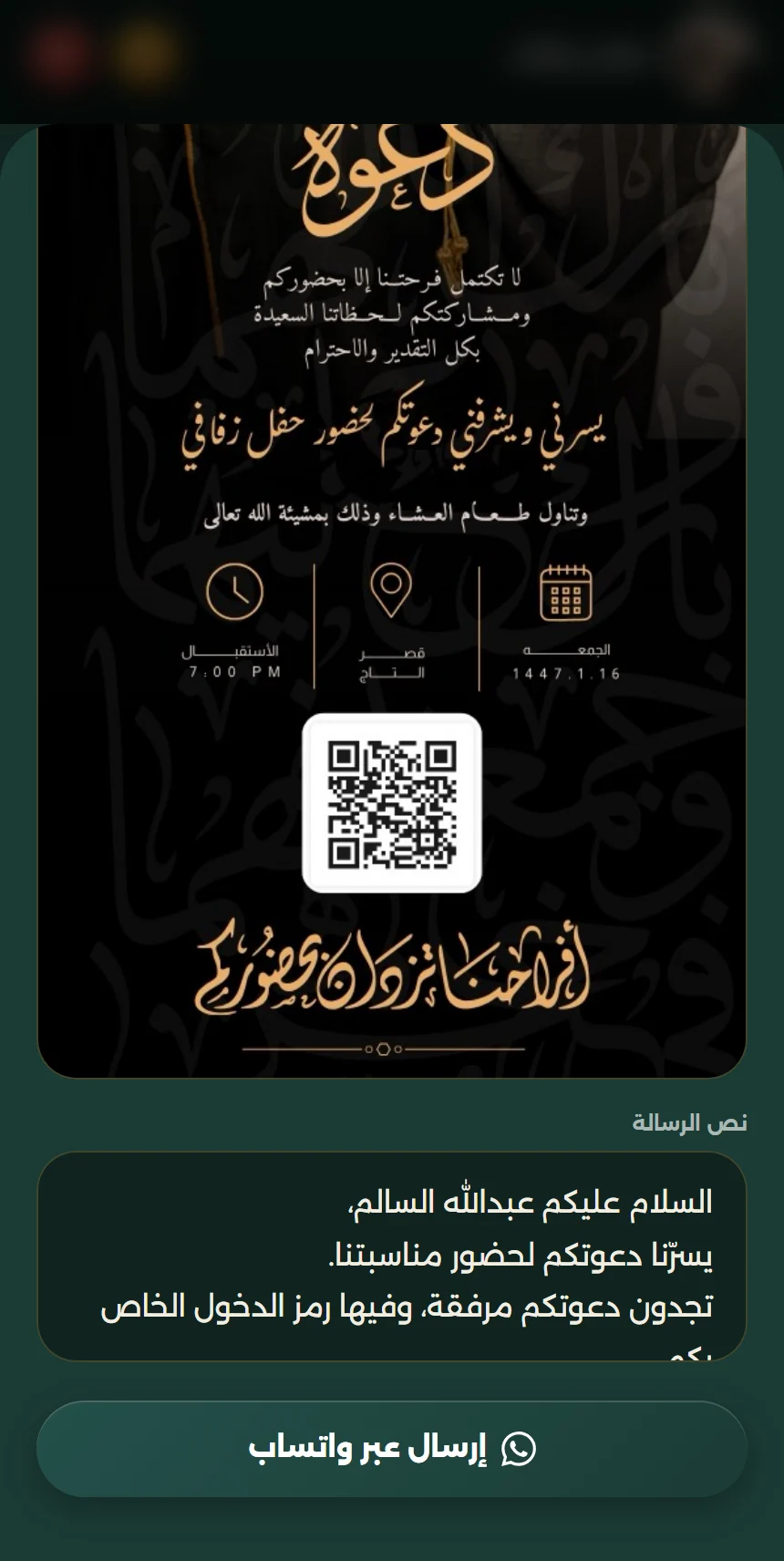
صفحة العميل بعد الضغط على زر واتساب: معاينة الدعوة برمزها ونص الرسالة وزر «إرسال عبر واتساب»
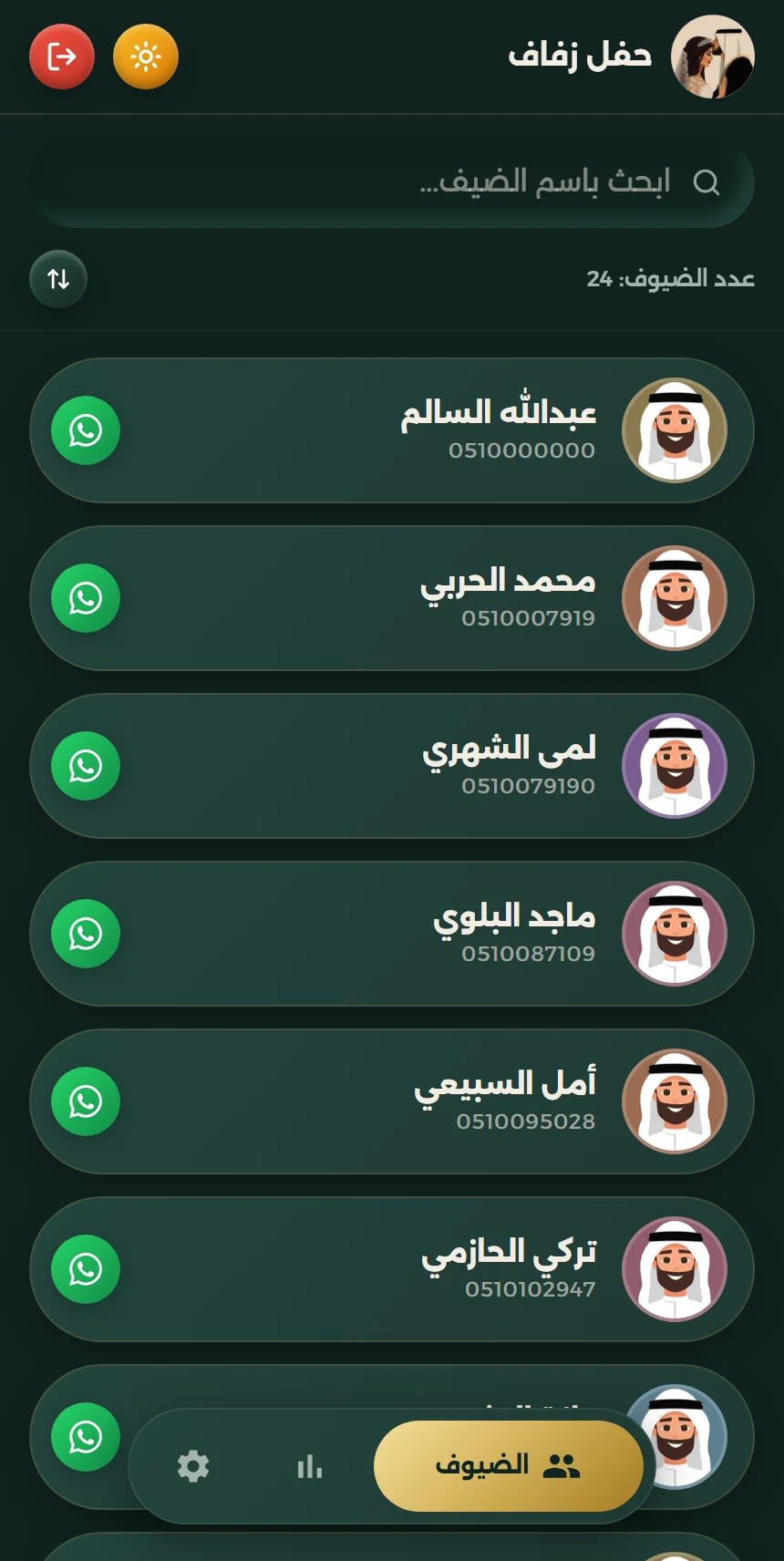
صفحة العميل في دعوة: قائمة الضيوف وزر واتساب بجانب كل ضيف، والأسماء محجوبة
Real screenshot

Accept and decline

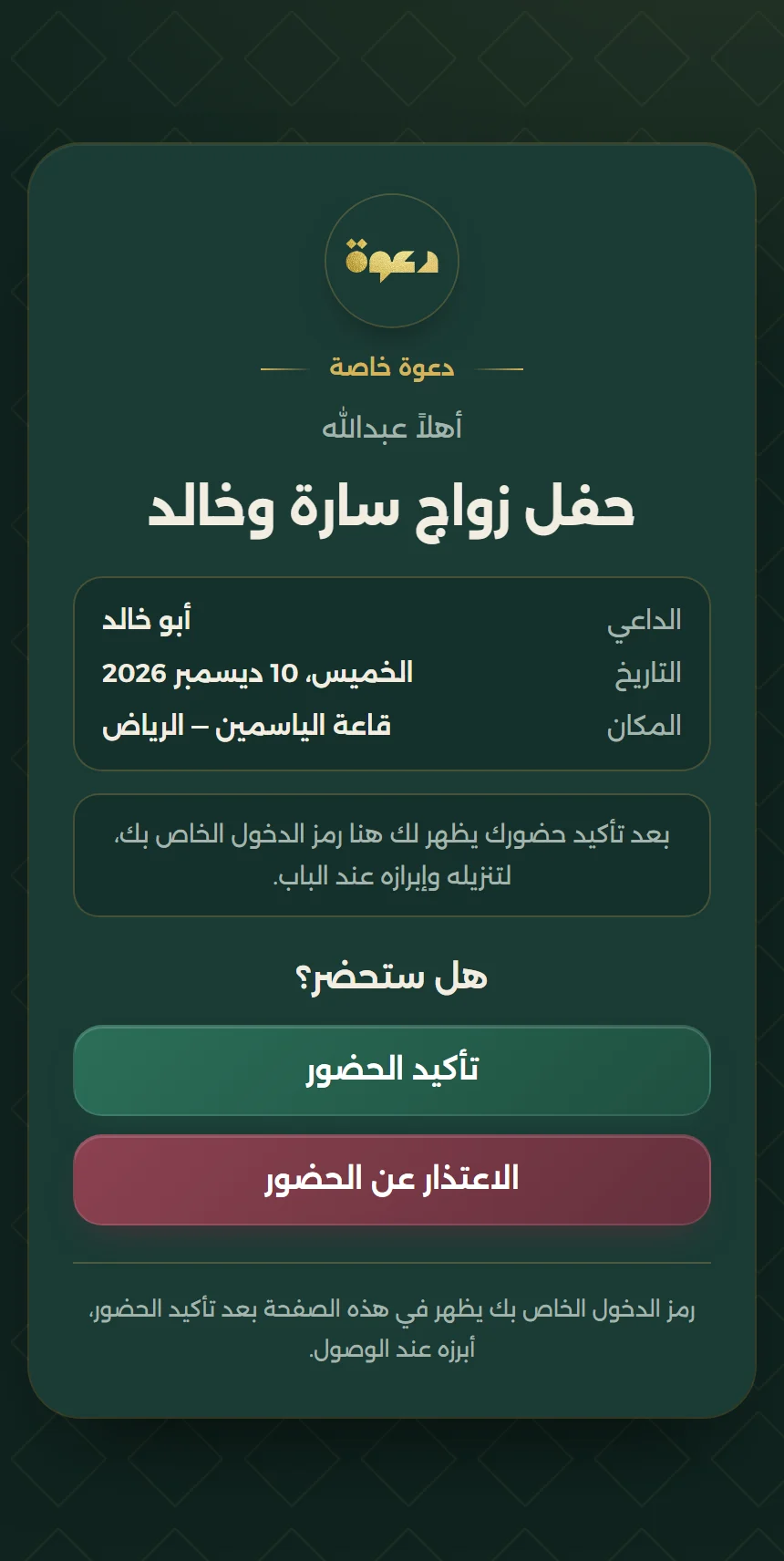
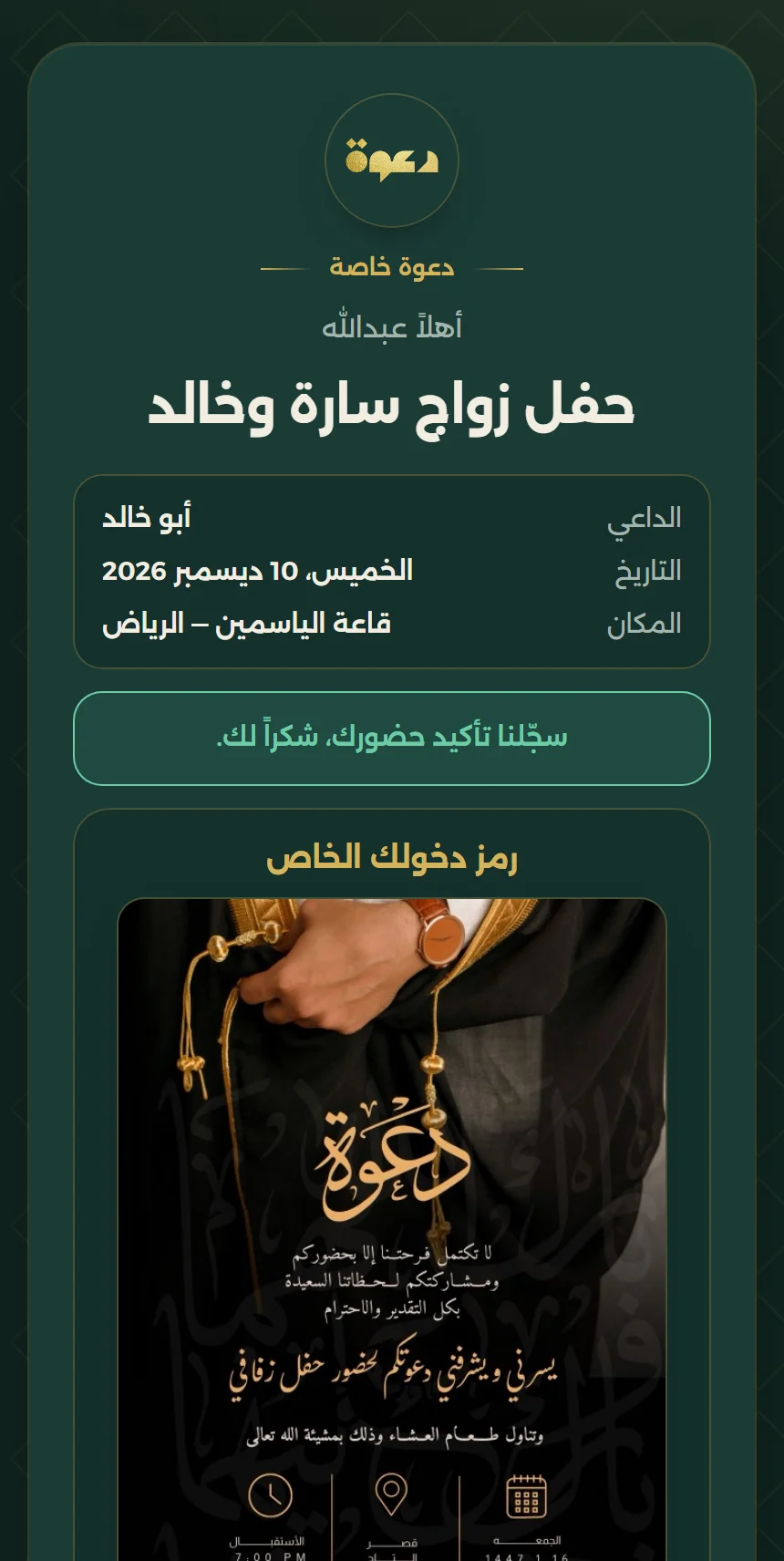
In the smart package every invitation comes with a personal link where the guest accepts or declines.
Feature details
  • The guest confirms or declines in one tap
  • You see who accepted and who declined, per invitation
  • The entry code appears on the guest page after they confirm
صفحة الضيف في الباقة الذكية: تفاصيل المناسبة وزرّا تأكيد الحضور والاعتذار عنه
صفحة الضيف بعد تأكيد الحضور: رسالة الشكر ورمز الدخول الخاص به
Real screenshot

The organizer app at the door

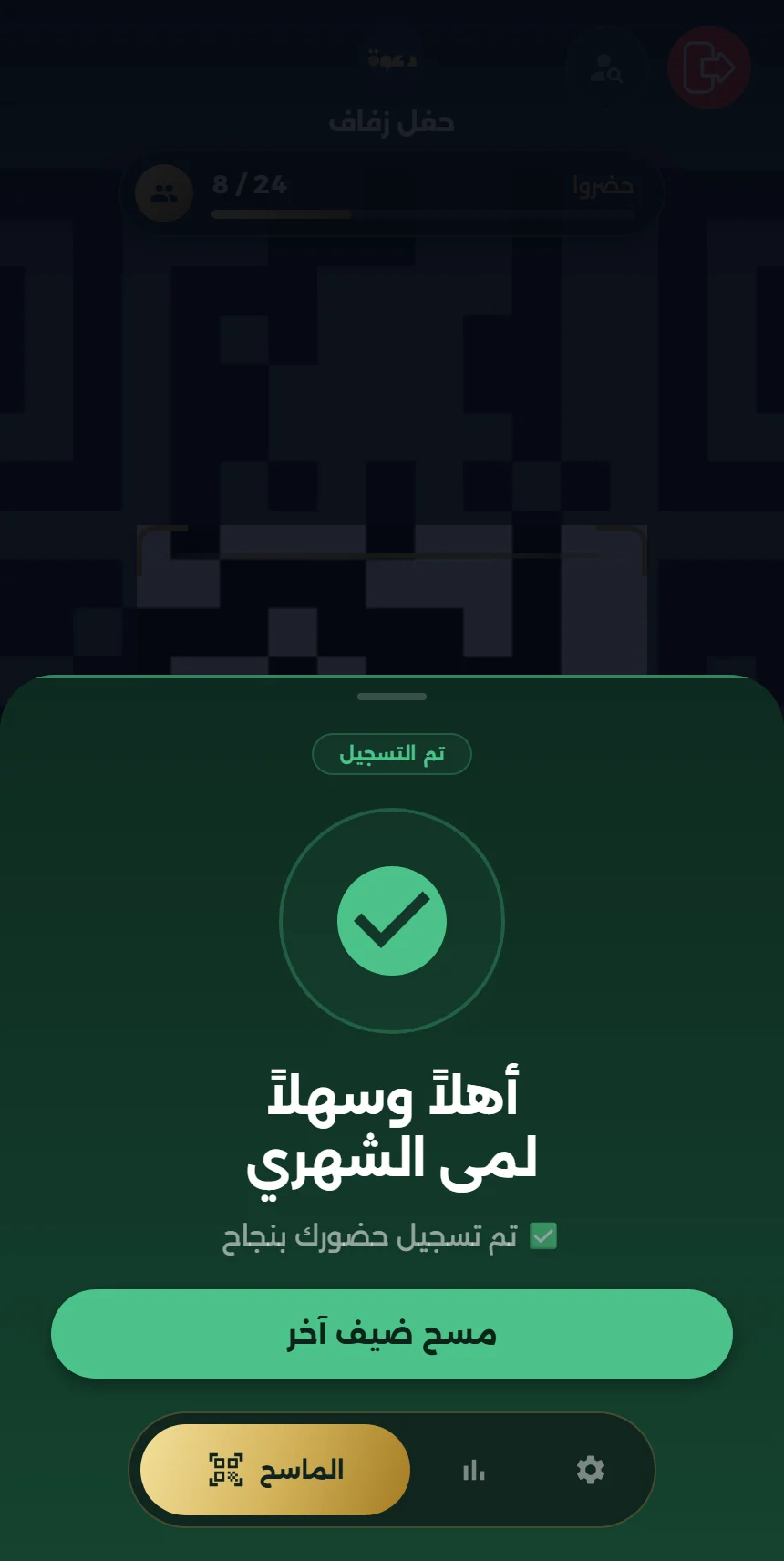
The reception team signs in with the event code, scans guest codes and sees a clear result, with sound and vibration you can adjust.
Feature details
  • Checked in: the guest enters and is counted
  • Duplicate check-in: an instant warning that the invitation was used
  • Invitation for another event: not accepted
  • Search by name when a scan is not possible
تطبيق المنظم: شاشة المسح «جاهز للمسح» مع عدد من حضروا
Real screenshot

Attendance, moment by moment

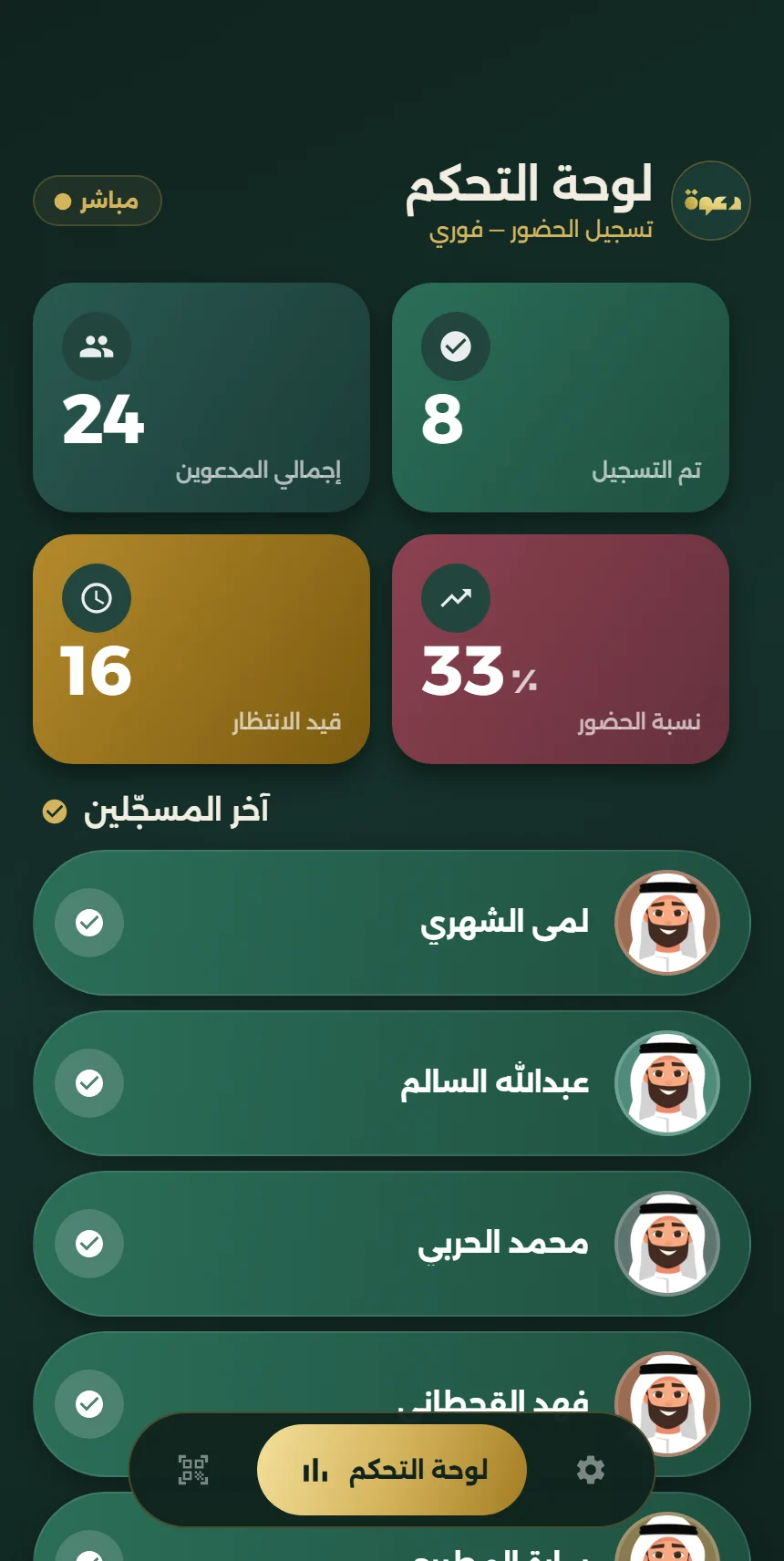
A live board in the organizer app shows the state of the event during the celebration.
Feature details
  • Total invited and checked in
  • Pending guests and attendance rate
  • Latest check-ins as they happen
تطبيق المنظم: لوحة الحضور بإجمالي المدعوين وعدد المسجلين وقيد الانتظار ونسبة الحضور
Real screenshot

After the event

Attendance data stays organized for review.

Export the guest list with attendance status to Excel on request

More platform screens are in development and will be shown once they are ready.

Your journey with Dawah, step by step

1

Get in touch and confirm details

Contact Dawah to request the number of invitations and finalize your event details.

WhatsApp
2

Choose a design

Choose an invitation design that suits your event.

Design gallery
3

Receive the client link

Your private client link is delivered within two business days at most.

Within 2 business days
صفحة العميل في دعوة: قائمة الضيوف وزر واتساب بجانب كل ضيف، والأسماء محجوبة
Real screenshot
4

Choose the message and share

Open your page, choose the message guests will receive, then share the invitations.

صفحة العميل بعد الضغط على زر واتساب: معاينة الدعوة برمزها ونص الرسالة وزر «إرسال عبر واتساب»
Real screenshot
5

Receive the organizer app

The host or venue receives the organizer app with the event code, so different events never get mixed up.

تطبيق المنظم: شاشة المسح «جاهز للمسح» مع عدد من حضروا
Real screenshot
6

Monitor attendance live

See who has entered, how many guests have not arrived yet, and how many have checked in so far.

تطبيق المنظم: لوحة الحضور بإجمالي المدعوين وعدد المسجلين وقيد الانتظار ونسبة الحضور
Real screenshot

What actually happens?

  • Preparing the invitations and generating a code for each guest is done by the Dawah team after the details and design are confirmed.
  • Sending happens from the client page with a tap by the event host. This website never sends messages on its own.
  • The door check happens in the organizer app with the event code, and each invitation counts once.
  • The attendance board shows how many guests have not arrived yet; it does not record guests leaving the venue.
تطبيق المنظم: لوحة الحضور بإجمالي المدعوين وعدد المسجلين وقيد الانتظار ونسبة الحضور
صفحة العميل في دعوة: قائمة الضيوف وزر واتساب بجانب كل ضيف، والأسماء محجوبة
الدعوة كما تصل للضيف في واتساب: صورة الدعوة برمزها مع نص الرسالة

Let your event start with Dawah.

Send your event details and we will arrange everything with you, from design to the welcome.

Chat on WhatsApp